Instructors Version Logo
latest

Model I

  • Introduction
  • Components
    • Start Robot
    • E-STOP
    • Robot Arm
    • Safety Features
    • Auxiliary functions for autonomous driving
    • UV Lamp
    • IR Camera
    • Screen
    • Battery

Using GUI for Robot Control

  • Other function description
  • Autonomous Driving
    • Start
    • Bringup
    • Act 2LRF
    • OP
    • Navigation
    • NaviRVIZ
    • WPCtrl
    • InitPos
    • Motion Ctrl
    • Run TeleOP
    • Sonar Sensor
    • Navigate Way Points
    • Navigate Trajectories
    • Parking C.S.
    • Configuration
    • AMCL Pos
    • Ready
    • Mapping
    • RosBoard
  • Robot Arm
    • DSR Control
      • Doosan Robot
      • DSR Traj
      • Moving Robot Arm
      • Init. Pos. & Zero Pos.
    • Use Endtool Cam
      • Cam Apply
      • Algorithm
  • Safety
    • E - stop
    • Safety Area (action)
    • Safety Area (range)
  • Disinfection
    • Sol / Pump
    • UVC

Disinfection process by location

  • Introduction
  • Hallway Disinfection
  • Conference room Disinfection
  • Schedule
Instructors Version
  • Autonomous Driving
  • Navigate Trajectories
  • Edit on GitHub

Navigate Trajectories

Driving by selecting a pre-registered trajectory from the drop-down menu

Desired coordinates are registered in trajectories, and it travels through these coordinates in order.


GUI & Terminal execution screen when button is clicked
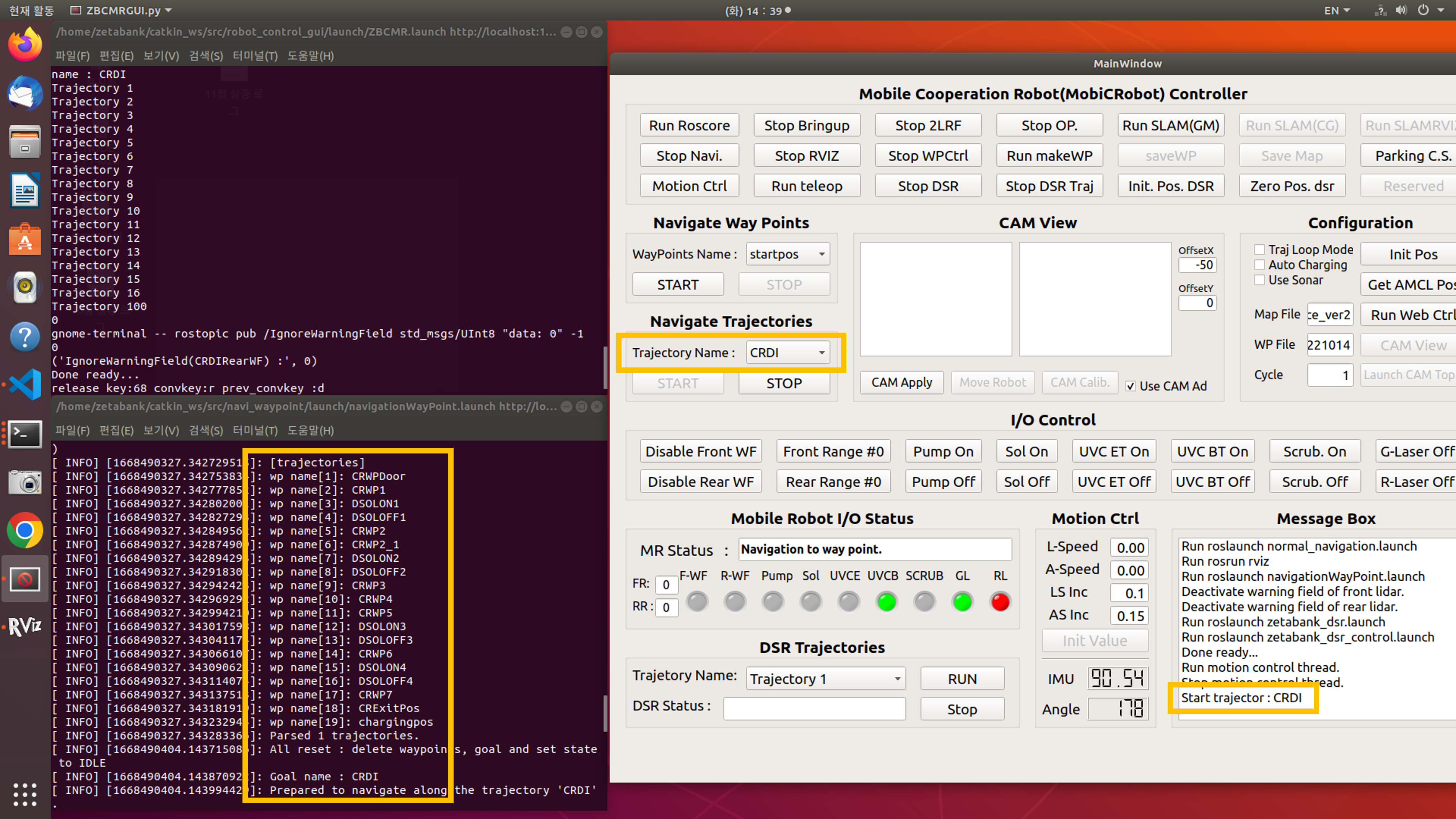
  • The name of the selected trajectory and the name of the waypoint belonging to the trajectory are displayed.
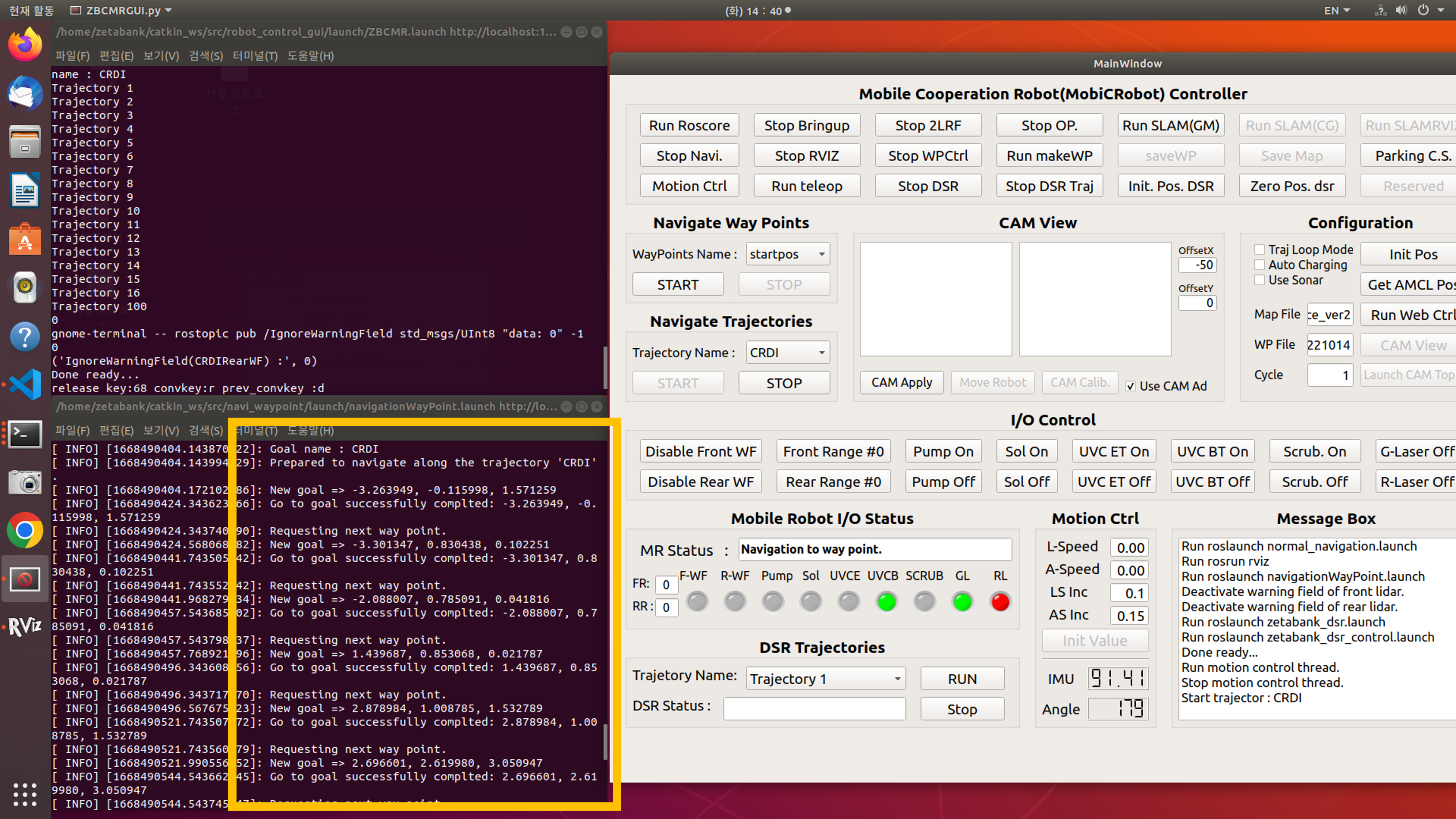

  • When arriving at a certain waypoint, the coordinates of the next destination are displayed.
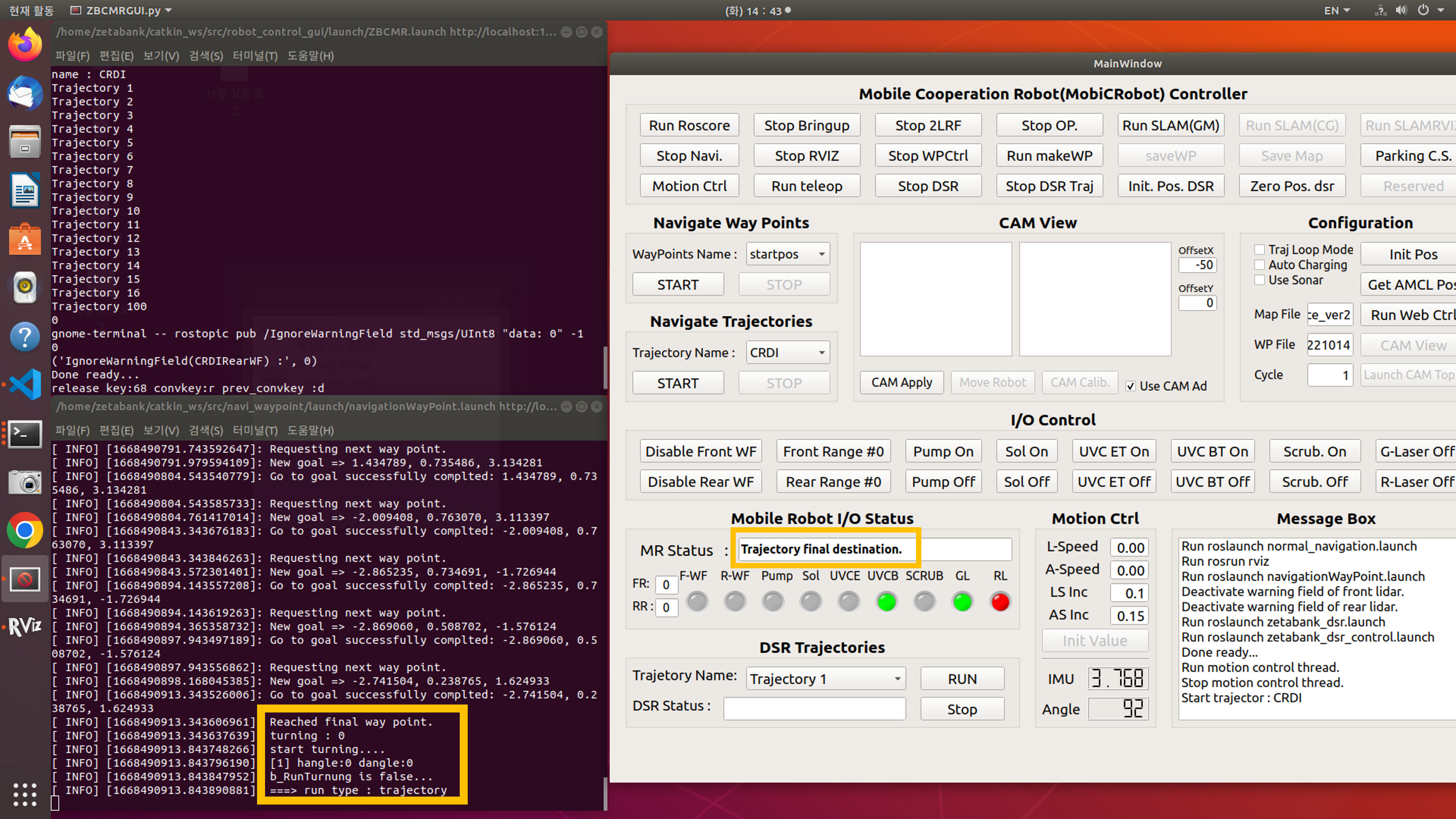

  • When arriving at the final destination, Trajectory final destination phrase is displayed on MR Status and Navigation Trajectories function is terminated.

Previous Next

© Copyright . Revision 9976df8d.

Built with Sphinx using a theme provided by Read the Docs.